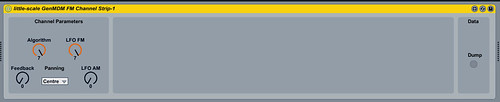
gone
Offline
ad-hell-aide
i believe you! which os are you running? which max version?
Offline
W7 64, Live 8.2.2, Max 5.1
Last edited by eptheca (Jan 23, 2013 11:09 pm)
Offline
ad-hell-aide
this issue is a result of bpatcher object behaviour.. weird...
Offline
ad-hell-aide
ok ill make it so that the next version will not have this issue 
Offline
ad-hell-aide
also: i am thinking of implementing an instrument setting format using a text file, so that instruments can be easily swapped between users AND instruemnts can be swapped between the M4L device and the (eventual) standalone editor...
Offline
I figured out the reason.
I dragged and dropped the patch from a folder on C
When I copied the folder with the patches into the C:\Users\Halvor\Documents\Ableton\Library\Presets\MIDI Effects\Max MIDI Effect\Imported folder and D&D it from there, it saves and Hot Swaps fine
I think they have fixed this in Live 9
your Instrument idea sounds great though
Offline
still a problem with DAC Custom Waveform, does not save the waveform settings
Offline
FRANCE
Fantastic news about the sample loader! and great addition
little-scale wrote:
So... just updated and tested it for inclusion in the next genmdm firmware.
MIDI CC 90 sets the SSG-EG setting for op 1.
MIDI CC 91 sets the SSG-EG setting for op 2.
MIDI CC 92 sets the SSG-EG setting for op 3.
MIDI CC 93 sets the SSG-EG setting for op 4.
do not forget there is ssg on/off settings per operator and also per operator value settings for the ssg shape .
like you did in v101..
SSG-EG on/off CC 90
SSG Value (shape) CC 91
but should be both settings per operator...
so you can keep those 4 CC's above for on/off and add 4 others for the shape.
hope it makes sense ++
Offline
ad-hell-aide
aly, i am running out of CC numbers!
so... basically... it's a compromise...
at least for the moment.
the ccvalue 0 - 127 >> 0 - 15 --> SSG-EG register
SSG-EG B0000XYYY
So that the same MIDI CC command both turns the SSG-EG on and also selects the setting for the shape.
make sense?
Offline
FRANCE
Running out of CC numbers LOL That is exactly what I thought as I was writing my comment
it make sense
Offline
ad-hell-aide
my feeling with the SSG-EG is that anyone who uses that as a function will be fine with having the On / Off and Value attached to the same cc number...
Offline
FRANCE
indeed, so we can quickly on/ off and change settings with the same knob..
Offline
FRANCE
Here is a little distraction by the way
Only FMDRIVE YM2612 VST + 8BIT PSG VST were used. Basic track making with the FMDRIVE YM2612 emulator in Cubase 5 running on Win7, one instance of plug-in per channel + one PSG instance, preview of all channels unmixed at the end.
I will probably make a tread for the VST release in feb
Offline
ad-hell-aide
OK so um that was easy...
http://little-scale.blogspot.com.au/201 … -demo.html
Support for 5 pin DIN MIDI connection works great!